Why do high Ping and high latency occur when running FREE FIRE?
High Ping is mainly related to server distance, carrier routing, network congestion, and wireless connection quality. Fast download speeds do not mean low latency when connecting to game servers — the most direct impact of high Ping is increased delay between your input and the server's feedback.
Causes of high Ping when running FREE FIRE:
- The player is far from the FREE FIRE server, so data takes longer to make a round trip.
- Poor carrier routing, or congestion or failure at interconnection nodes along the route.
- FREE FIRE's matchmaking, mode, or team region connects you to a server with higher latency.
- The FREE FIRE game server is overloaded, malfunctioning, or unstable.
- Weak Wi-Fi signal or wireless interference.
- Using a shared network in a crowded hotel, school, café, etc.
- Weak mobile data signal, or playing while on the move.
- Network device failure, device compatibility issues, or abnormal network card drivers.
Note:Fast download speeds do not mean low latency when connecting to game servers.
FREE FIRE stuttering or high latency? Accelerate for free now.
 Free DownloadChoice of 1M+ gamers
How to fix FREE FIRE high Ping and high latency issues with one tap
To significantly reduce FREE FIRE latency, stuttering, and similar issues, the key is to optimize and improve game data transmission between the player and the game server. Only fast, stable data transmission can noticeably reduce the feeling of in-game lag.
-
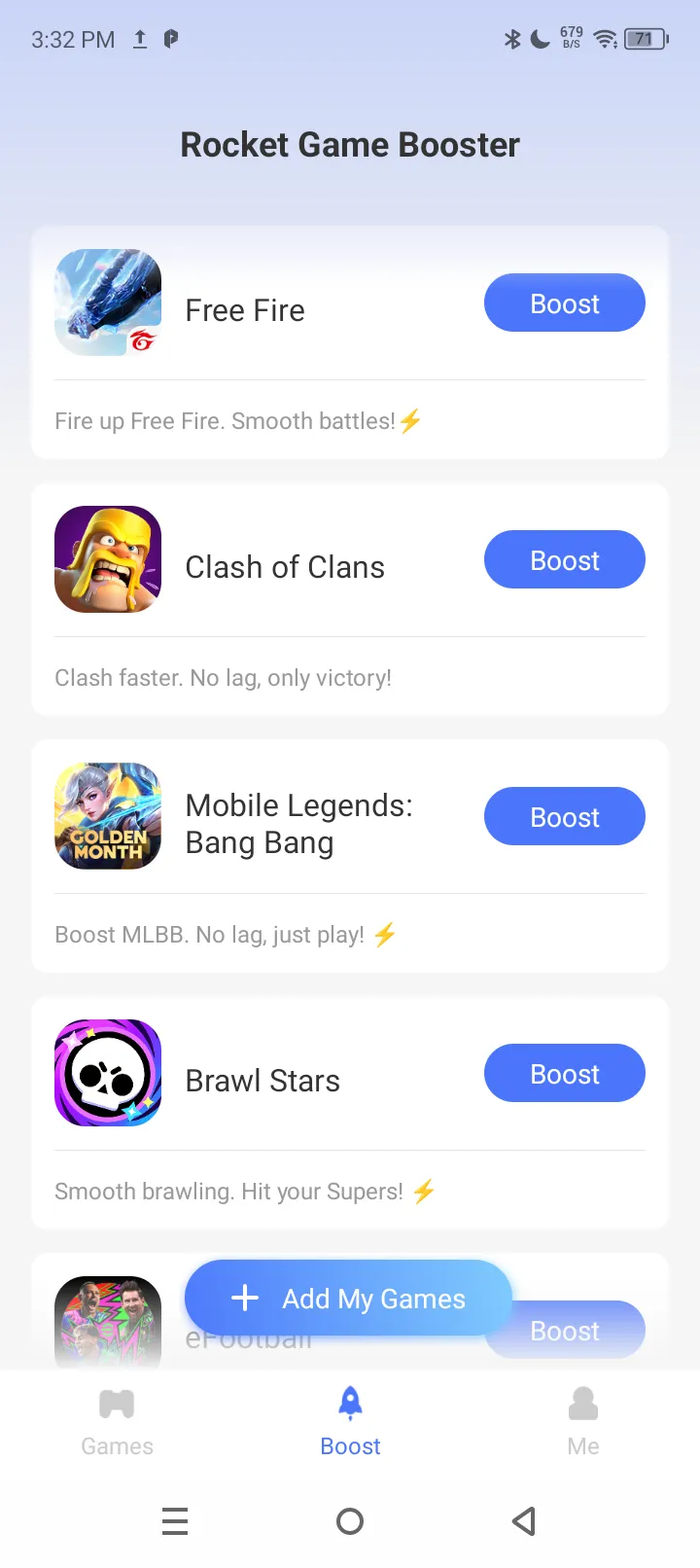 Step 1
Select Free Fire
Tap "Add My Games," find FREE FIRE, and tap the "Add" button at the bottom.
-
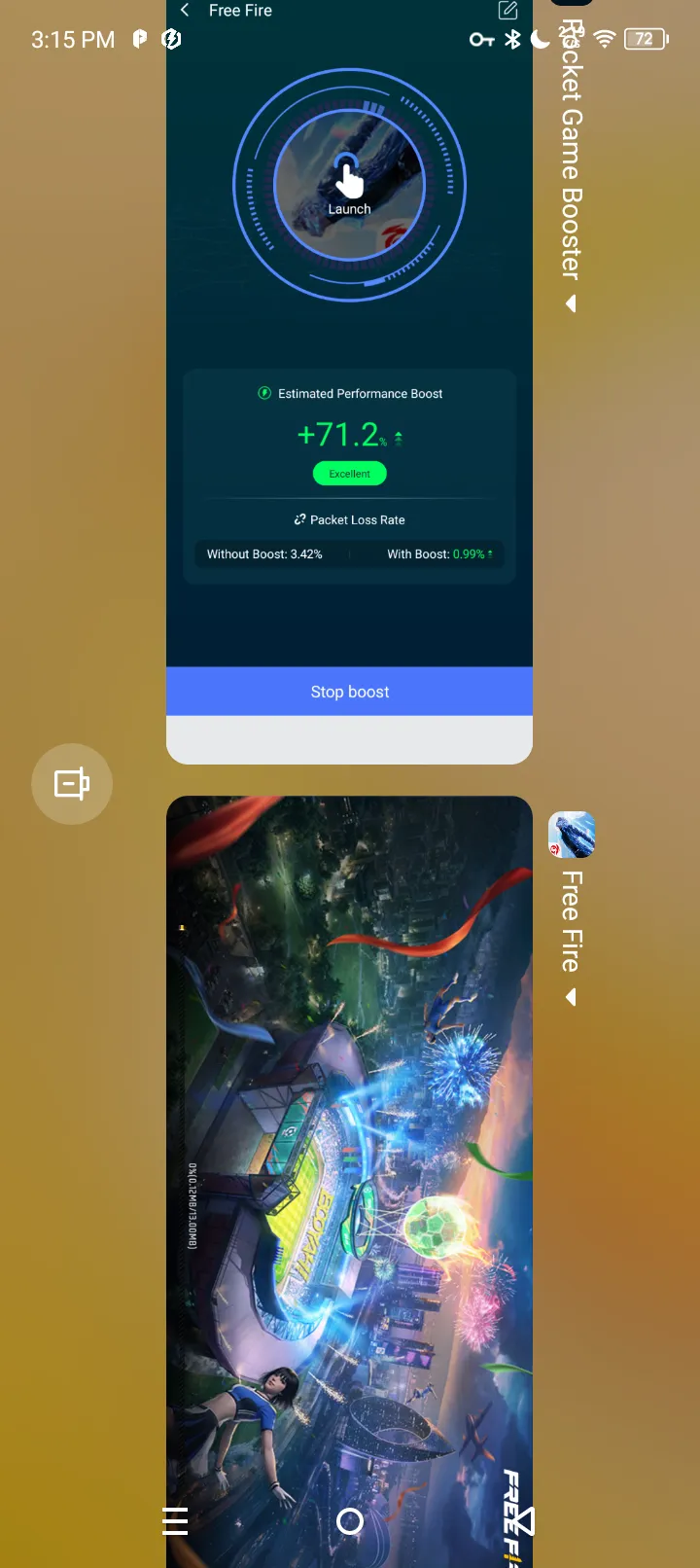 Step 2
Start Boost
Tap the "Boost" button to the right of FREE FIRE to enter the acceleration screen.
-
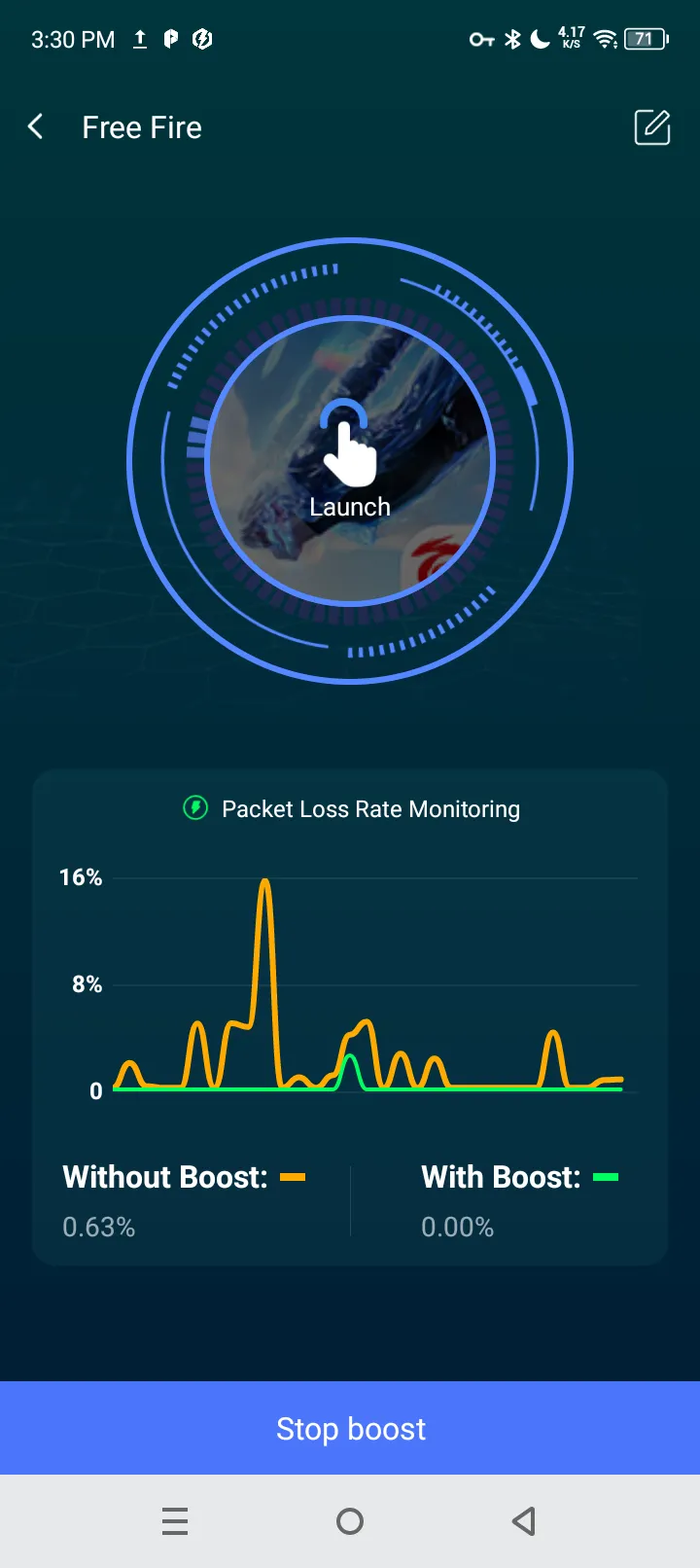 Step 3
Boost Screen
Shows the network status before and after boost, with a clear comparison of Ping, latency, packet loss, and other data.
-
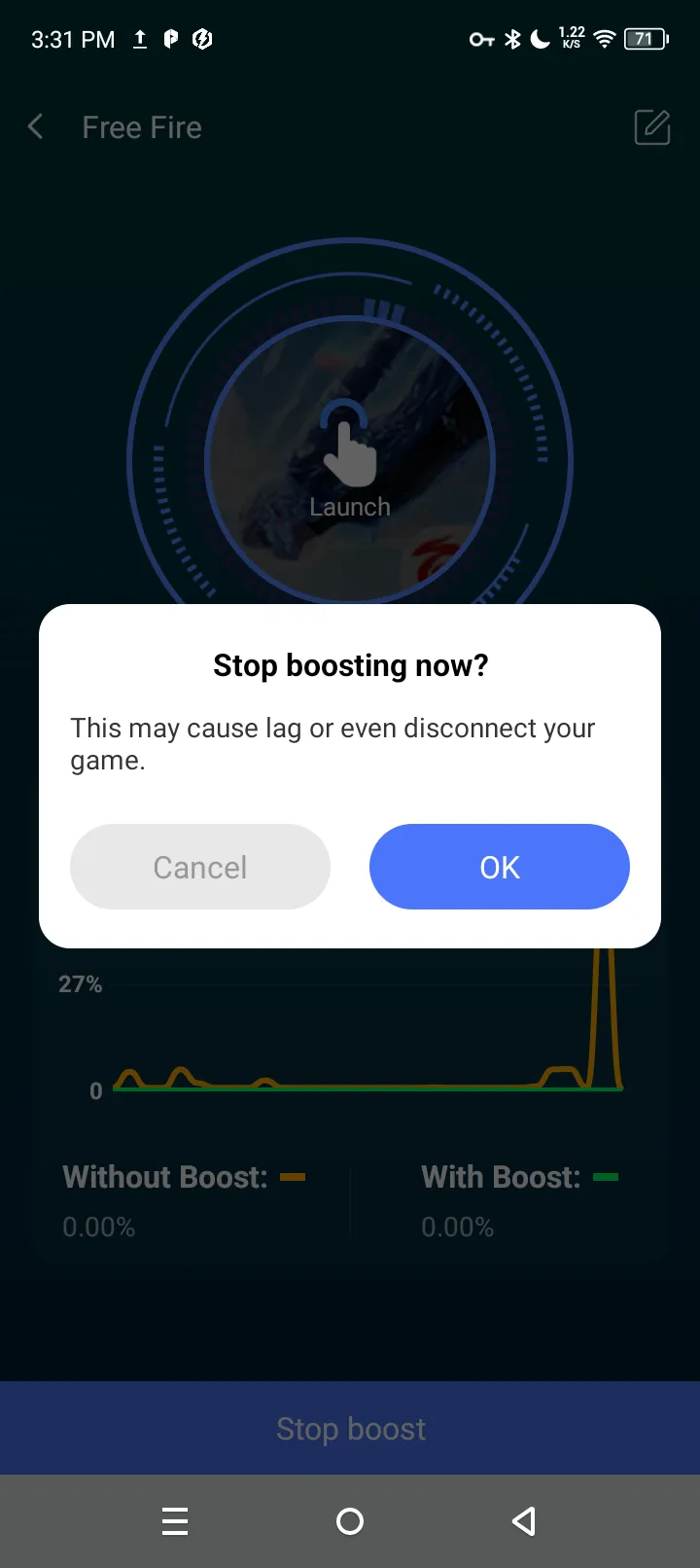 Step 4
Stop Boost
Return to the acceleration screen and tap the "Stop boost" button at the bottom to stop acceleration.
It's that simple — fix FREE FIRE high latency, high Ping, and other network issues with one tap, so you can run FREE FIRE without worrying about screen lag, character stuttering, or similar problems.
A super-simple, easy-to-use game booster.
Free DownloadTrusted by 1 million players
Other possible issues when FREE FIRE is running
Besides fixing FREE FIRE high Ping and high latency, what other network issues can Rocket Booster solve?
Packet loss
Packet loss causes character teleporting, interrupted position updates, and delayed input synchronization in FREE FIRE — and in severe cases, disconnections. It reduces issues like "normally fine, then suddenly a brief freeze" and inconsistent input feedback speed.
Network jitter
Network jitter causes FREE FIRE to respond inconsistently — sometimes fast, sometimes slow — with unstable input feedback and occasional sudden character displacement. It reduces character teleporting, rubber-banding, and delayed input synchronization, and lowers the risk of some disconnections.
Wi-Fi instability
Wi-Fi instability, brief disconnections, interruptions during network switching, and the resulting jitter and packet loss — when Wi-Fi degrades, it keeps the game connection alive as much as possible, reducing sudden freezes, reconnections, or disconnections.
About Rocket Booster
Rocket Game Booster
| App name | Rocket Game Booster |
|---|---|
| System requirements | Android 7.0 or higher (compatible with all Android brands) |
| Languages | English and dozens of other languages |
| Free features | Game network route acceleration |
| FREE FIRE versions | Compatible with multiple FREE FIRE versions and runs normally |
FAQ
If you're worried that Rocket isn't working, you can invite a friend to play the same FREE FIRE match at the same time on the same network — with Rocket enabled on one phone and not on the other — then compare how FREE FIRE runs on both phones.
Rest assured! Rocket Game Booster, downloaded from the Google Play Store, is a "network route optimizer," not a "game cheat." It only optimizes your network connection. It does not read or modify game data, code, or files. Normal use will not lead to account bans or cheating flags.
Of course! Whether your phone has the latest version of FREE FIRE or an older version, you can use Rocket acceleration to reduce latency. The only prerequisite is that your phone's Android system version must be 7.0 or higher.
Rocket Booster has no phone brand restrictions — any Android phone can use it! Whether it's Samsung, Xiaomi, Motorola, OPPO, vivo, OnePlus, Redmi, or any other Android phone, you can use it with confidence (Note: Android 7.0 or higher is required).
Feedback: FREE FIRE acceleration not working
- First
Make sure your phone's system is Android 7.0 or higher.
- Second
Make sure the FREE FIRE you're running is the official version, not a MOD version.
- Third
Make sure Rocket accelerator is downloaded from the Google Play Store.
- Fourth
If all three above are fine, try restarting the game and Rocket accelerator.
- Last
If you still can't accelerate FREE FIRE after restarting, please contact us with your feedback.
About Free Fire
FREE FIRE is a globally popular mobile survival shooter published by Garena. Each match lasts about 10 minutes: 50 players parachute onto a deserted island, scavenge for weapons and supplies, drive vehicles, and outrun the shrinking safe zone to become the sole survivor. The game is fast-paced and highly sensitive to network latency, so a stable, low-Ping connection is crucial to the match experience.

Free Fire
| Game name | Garena Free Fire |
|---|---|
| Game genre | Battle Royale |
| Developer | Garena International I |
| Latest version | 1.132.1(Updated on Google Play on September 9, 2026) |
| Version size | The installation package is about 400MB. Additional resource packs will need to be downloaded the first time you enter the game. The actual size is subject to what Google Play displays. |
| Android requirements | Android 5.0 or higher; to use with Rocket accelerator, Android 7.0 or higher is required |
| Downloads | 1 billion+ downloads on Google Play |
| Game modes | Multiple modes including classic Battle Royale (BR) and Clash Squad (CS) |