 Rocket Booster
Free Mobile Game Booster
Rocket Game Booster: Zero Lag for Any Android Game
A more stable network, zero packet loss, and a smoother gaming experience. Ensure a fast, stable, and uninterrupted connection with Rocket Game Booster!
- Accelerate games for free.
- Compatible with all Android phones.
- Compatible with all Android games.
 Free downloadAll games supported
- Downloads by real players
- 1,000,000+
- Google Play rating
- 4.7
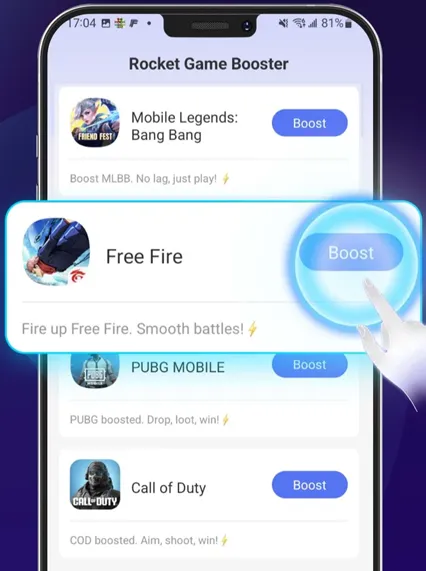
Why do you need an Android game booster?
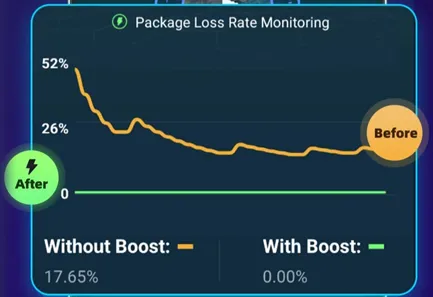
Mobile games demand more from a network than just "staying connected" — they also require timely response, stable data transmission, and uninterrupted matches. Even players connected to fast broadband or mobile networks can still be affected by routing, congestion, wireless fluctuations, and cross-region connections.
Mobile game accelerators like Rocket help reduce network-induced input delay, character rubber-banding, and mid-match disconnections by optimizing game traffic paths, improving transmission reliability, and using backup networks to handle fluctuations — allowing players to complete their matches more reliably.
-
Consistently high Ping
Select more suitable relay nodes and transmission paths to reduce unnecessary detours.
-
Ping fluctuating up and down
Dynamic route selection and node adjustment to minimize path fluctuations.
-
Packet loss
Multi-path or multi-packet transmission to improve data delivery reliability.
-
Short-term Wi-Fi instability
Dual-channel or backup connection mechanisms that bring mobile data into play as a safeguard.
-
Poor cross-region connections
Use nodes oriented toward the target region to optimize transmission paths.
-
No ability to troubleshoot or choose routes
One-tap acceleration and automatic node selection features tailored to each game.
How to use a game booster app to accelerate a game
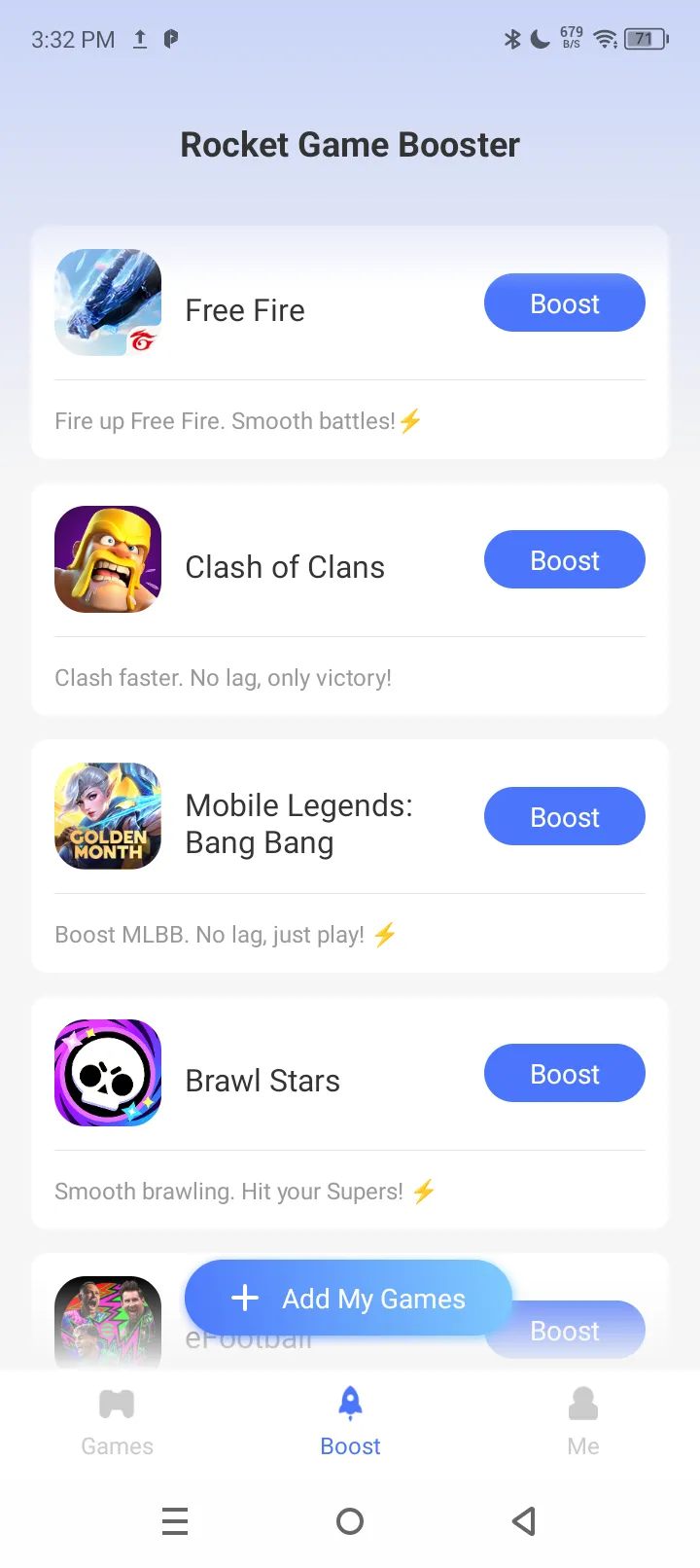
Free acceleration for Android mobile games in just two steps — even beginners new to game boosters can get started quickly, with no complicated tutorials needed. No Android phone brand requirements, no game genre requirements. (Here's how it works, using FREE FIRE as an example.)
-
 Step 1
Select a game
Tap "Add My Games," find FREE FIRE, and tap the "Add" button at the bottom.
-
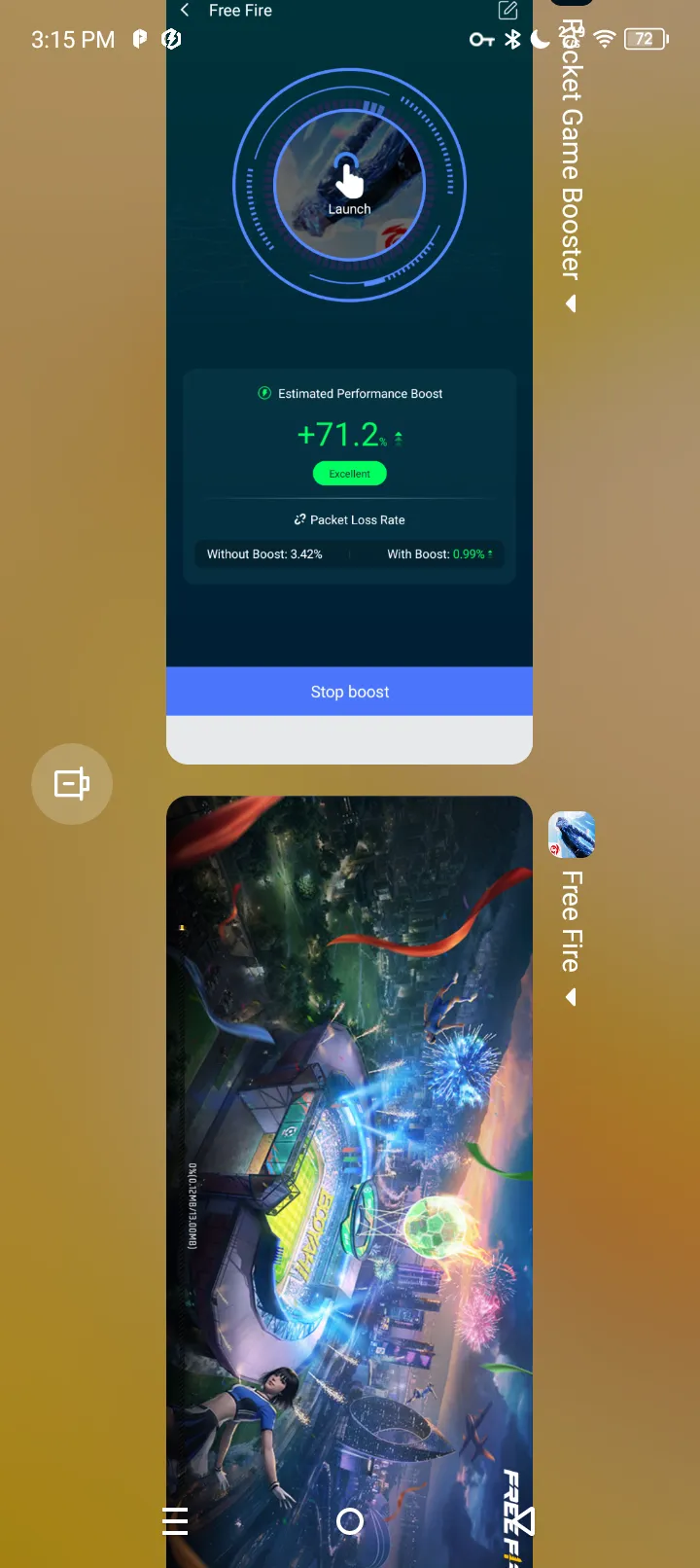 Step 2
Start acceleration
Tap the "Boost" button to the right of FREE FIRE to enter the acceleration screen.
-
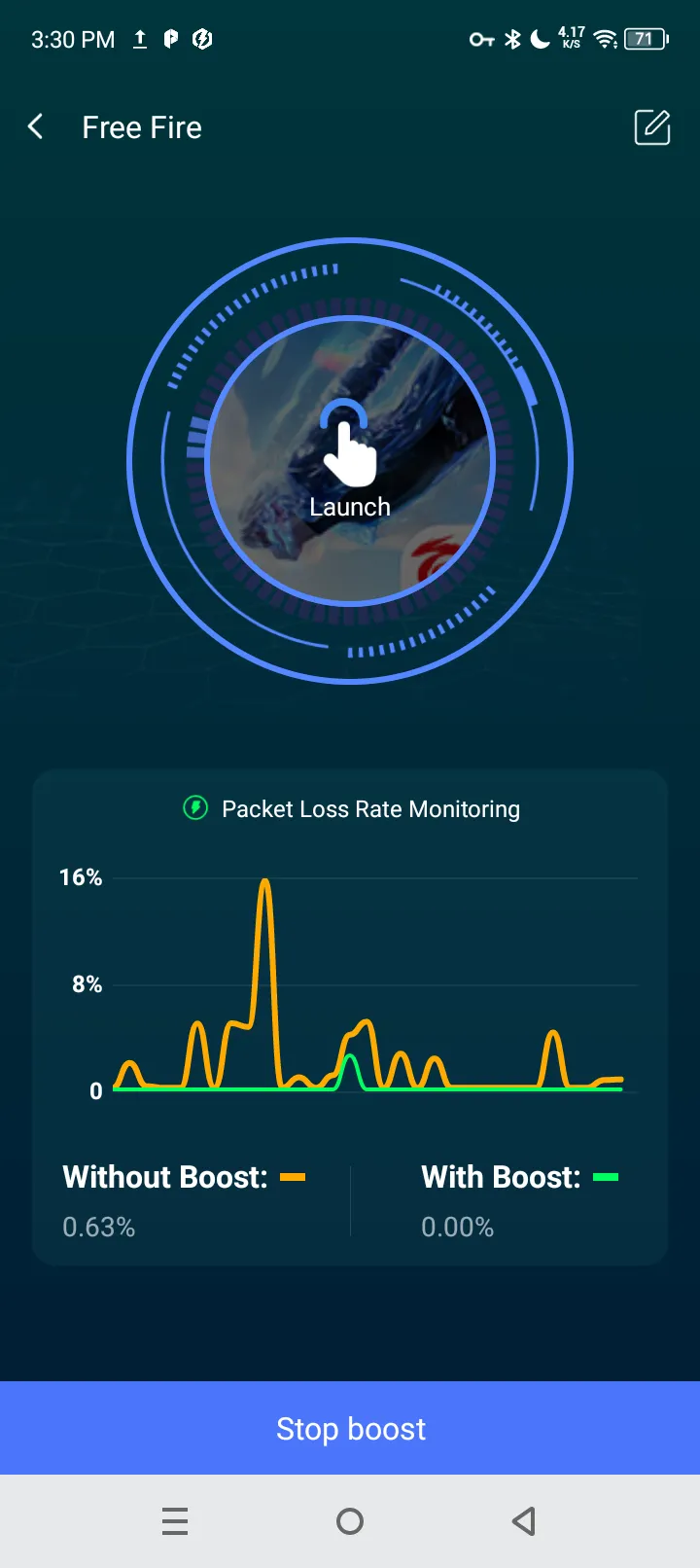 Step 3
Acceleration comparison
FREE FIRE acceleration screen: Shows the network status before and after acceleration, with a clear comparison of Ping, latency, packet loss, and other data.
-
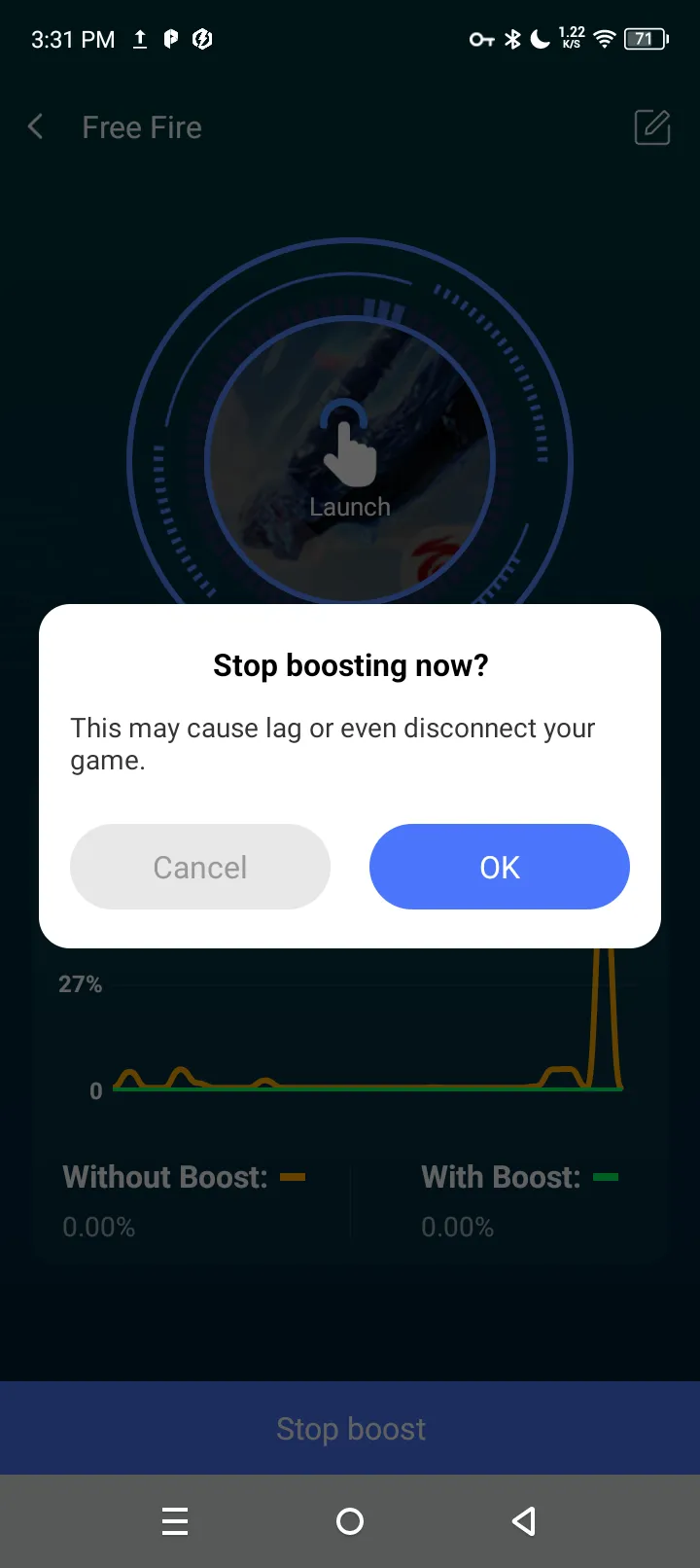 Step 4
Stop boosting
How to stop acceleration: Return to the acceleration screen and tap the "Stop boost" button at the bottom to stop acceleration.
Two steps to start accelerating — try it free now.
 Free download APKTrusted by 1M+ players
Supports all Android phone brands
NOTE:Android 7.0 or higher is required. Older system versions may cause acceleration to fail.
- Xiaomi
- Samsung
- OPPO
- Vivo
- OnePlus
- Realme
- Huawei
- Google Pixel
- iQOO
- Redmi
- POCO
- Infinix
Comparison: gaming with vs. without a booster
The following is ranked from highest to lowest relevance to mobile gamers.
| Pain points for mobile gamers | Using a game booster | Not using an booster |
|---|---|---|
| Routing detours cause high Ping and slow input feedback | Optimizes transmission paths to lower Ping and shorten input feedback time when the original route has detours or congestion. | Connecting along the carrier's default route may result in persistently high latency. |
| Ping fluctuates up and down, causing sudden lag at critical moments | Dynamic route selection or node adjustment reduces latency spikes and makes responses more stable. | Path fluctuations can directly affect matches, making input response alternately fast and slow. |
| Packet loss causes character teleporting, rubber-banding, and discontinuous state updates | Multi-packet or multi-path transmission improves data delivery reliability and reduces anomalies caused by partial packet loss. | Data lost during transmission may cause game state desynchronization. |
| Short-term Wi-Fi instability makes matches prone to interruption | Products that support dual-channel can use mobile data as a backup, reducing the impact of fluctuations in a single network on matches. | You may need to manually switch to mobile data, during which lag or disconnection can occur. |
| Frequent disconnections and reconnections during gameplay | Reduces disconnections caused by network issues such as path fluctuations and packet loss. | If the connection path is unstable, disconnections may recur repeatedly. |
| High latency when playing across regions, resulting in a poor experience when teaming up with friends in other locations | Uses optimized routes oriented toward the target region to improve some cross-region connection issues. | Long-distance connections may compound issues such as routing detours and interconnection congestion. |
| No understanding of network settings and no idea how to choose routes | Reduces manual configuration costs through game selection, one-tap acceleration, and automatic route selection. | You need to test the network, switch connections, or troubleshoot routing issues yourself. |
Note: "With an accelerator" refers to the expected improvement when the corresponding features are available and the routes are suitable — not all players will experience the same results.
Say goodbye to high Ping and disconnections — keep every match steady.
Free downloadGoogle Play rating: 4.7
Real user reviews
Over 1 million+ real player downloads and counting — 4.7 rating.
-
Divya Ajmera
The app was fantastic and cocacolastic! I was getting so annoyed by the "connection lost" & "lag" problem in EA FC Mobile. But after using this app, I didn't had a single connection lost error or lag during gameplay. Instead, I felt more smooth while playing the game.
-
Mercyfa Ana
i don't know what just already done here, but the app is very worth it guys, my game didn't get more bug or lag, and the load is faster then before i use this app, and da game got more BOOST!! i feel like a pro, but theres a problem, if your network is bad the boost it will bad to, so use da boost or play when the network good or no one use da network. 😁🙏.
-
Maryam Sigma
Ads or not, this app is AMAZING. Before, my game was lagging, so I couldn't play roblox. when I downloaded this app and pressed the boost, the game instantly started running smoothly. you HAVE to try it!
-
Pegerene Rankine
It's actually really good and it can actually boost your gameplay but I'm asking the creators of this if they can make it have longer time of boosting your game cuz sometime it disable self so I'm wondering if you can have more time but still it's very good, 👍
-
Dev Khadka
The best game booster i have used.It is easy to use,no ad popup,feel lighter and extermly good for game boosting.My device is only 2 GB but i can smoothly play games like mobile legend.If anyone need game booster i suggest use this one for better experience ❤️❤️🇳🇵


A list of games frequently accelerated by Android mobile gamers
Supports acceleration for all Android mobile games, with no restrictions on game genre.









How a mobile game booster works
Rocket Game Booster is a tool specifically designed to improve the network connection between your phone and game servers. "Acceleration" means making input commands and game data transfer more smoothly — it does not mean your game character moves faster, nor does it mean improving your phone's processor performance.
While playing a game, data must be continuously transmitted between your phone and the game server. For example, when a player taps to cast a skill, the phone sends the input to the server and then receives the result returned by the server. The slower the data round trip, the more noticeable the input feedback delay usually is.
Without an accelerator, game data typically travels along the carrier's default route. If that route has detours, congestion, or fluctuations, the game may still experience high Ping even if download speeds are fast. With a mobile game accelerator enabled, supported game traffic passes through nodes or routes provided by the acceleration service. The accelerator attempts to choose a more suitable path to deliver data to the game server. Although this adds a relay hop, if the new path is smoother than the original one, the overall time may still be reduced.
You can think of it like navigation software: the destination stays the same, but by choosing better roads, it tries to avoid detours and congestion.
- Phone
- Carrier's default route
- Congested nodes
- Detour routes
- Game server
- Phone
- Rocket booster node
- Game server
Round-trip latency38 ms
Selects a smoother route, avoiding detours and congestion
Illustrative diagram only — actual results may vary depending on your network environment!
FAQ
Rest assured! Rocket Game Booster, downloaded from the Google Play Store, is a 'network route optimizer,' not a 'game cheat'. It only optimizes your network connection and does not read or modify game data, code, or files. Normal use will not lead to account bans or cheating flags.
No. While running, Rocket accelerator can only boost one game at a time and cannot boost multiple games simultaneously.
Yes. Rocket Game Booster is currently free to use — as long as your phone runs Android 7.0 or above, you can download it and use it normally.
No. Rocket accelerator can only accelerate Android games (there is also an iOS version, which can only accelerate iOS games). It cannot accelerate non-game apps.
Of course. A mobile game accelerator mainly improves 'network transmission issues between your phone and the game server.' When the original route has detours or congestion, it can reduce latency through a better route.
After tapping the 'Boost' button, you enter the game acceleration screen, which shows a real comparison of network data fluctuations before and after acceleration. The most obvious way to tell is to play two rounds of the same game on the same phone and the same network, and see whether acceleration noticeably lowers latency and Ping.
Fast downloads don't mean fast network response during gameplay. Downloads depend on 'how much data can be transferred per second,' while games care more about 'how quickly commands arrive and how stable the transmission is.' Even with fast downloads, connecting to game servers can still involve high latency, packet loss, or network fluctuations — causing delayed input, character teleporting, and disconnections, especially when connecting to overseas servers.
